發表文章

目前顯示的是有「js」標籤的文章

瀏覽器偵測網址改變, detect url change in browser javascript

網路上很多說法是用 popstate event 如果用AJAX (XHR)更新網頁內容,再用 history.pushState() 更新網址會抓不到 解法1 定期檢查 用 setInterval() 去定期檢查 window.location.href,消耗不必要的資源 解法2 事件驅動 透過browser extension去接收 tabs.onUpdated event 這個event只能在background page中收到,再透過tabs.sendMessage()丟去content script 的runtime.onMessage就能對網頁內容作處理了 webNavigation webRequest 在某些情況也可以用來解決AJAX更新網頁的偵測 我不想在extension要太多權限就用,manifest_version 3新加的 host_permissions限定只對目標網域處理 host_permissions 似乎在多數browser是optional permission...不能指定有點麻煩

Javascript test sites

code snippets benchmark https://jsperf.com/

Javascript get element in iframe

https://stackoverflow.com/questions/1088544/get-element-from-within-an-iframe var iframe = document.getElementById('iframeId'); var innerDoc = iframe.contentDocument || iframe.contentWindow.document; IMPORTANT : Make sure that the iframe is on the same domain, otherwise you can't get access to its internals. That would be cross-site scripting.

Nightbot 使用紀錄 custom command

圖片
Q: 如果要讓nightbot指令只能在某平台運作? A: silent commands $(provider)判斷平台, 用 eval 輸出 " " 在twitch/discord都有效,Bot不會送出空白 2017/12/8 [bug] Nightbot parse arguments wrong in Discord simple command !z $(1) $(2) $(3) $(4) $(5) $(6) $(7) $(8) $(9) !z 1 2 3  4 5 6 There are two spaces between 3 and 4. Discord 1 2 3 null 4 5 6 null null Twitch 1 2 3 4 5 6 null null null 沒給的argument,Nightbot會用"null"塞入,所以無法判斷到底是沒給,還是user真的給null 就只是 str.split(' ') 和 str.split(/ +/)的區別 Nightbot大概用了前者,然後Twitch好像會自動吃連續空白到剩一個 Discord保留連續空白,所以會出錯 解決bug的最快方法就是,跟NightBot一樣不承認他是bug (X https://community.nightdev.com/t/bug-nightbot-parse-arguments-wrong-in-discord/15179/6 開放NB manager權限給其他人,這樣才能重後台設定 https://beta.nightbot.tv/account/managers

Android Firefox Extension debug

https://developer.mozilla.org/en-US/Add-ons/WebExtensions/Developing_WebExtensions_for_Firefox_for_Android https://developer.mozilla.org/en-US/docs/Tools/Remote_Debugging/Debugging_Firefox_for_Android_over_Wifi wifi的場合好像一定要裝他講的那個app,原先已裝QR Droid無效,wifi debug還是不能開? adb的用法 adb tcpip 5555 adb connect device_ip_address $ adb devices List of devices attached device_ip_address:5555 device adb kill-server  (reset and start from adb connect) 好像有奇怪的bug,玩一玩就連不上android了 (WebIDE shift+F8) 也許用usb比較好

使用者腳本 UserScript (user.js) install 安裝紀錄

關於userscript的介紹和安裝法,可以直接看greasyfork,有多國語言 https://greasyfork.org 基本上userscript manager主要功能都是相同的,只要沒bug應該都能跑 我寫的userscripts https://github.com/craftwar/userscript https://greasyfork.org/users/166015-craftwar 下面懶得更新了 userscript manager (you need install this first before you can install userscript) Greasemonkey http://www.greasespot.net/ Violentmonkey (I use this one) https://violentmonkey.github.io/ Tampermonkey http://tampermonkey.net/ After userscript manager is installed, you can install userscript in different ways. Click install from userscript publish site Ex: https://greasyfork.org , https://openuserjs.org Drag user.js into browser Click Add new script and paste userscript into manager 2017/11/30的狀況 Greasemonkey太陽春不實用 Tampermonkey source code的license不是開放的,不想用 Violentmonkey open source功能看起來也不錯,更新很勤 使用者腳本(userscript)的效能會比直接寫成extension差一點 (可忽略,原因是必需重複檢查權限) 是用eval執行,不是像extension直接inject js進去,debug比較麻煩 沒有extension的background script可以用,每個頁面都要開一個 優點是開發者維護更新上...

Userscript toturial: I am over 18

圖片
I am over 18 (Automatically agrees the "I'm over 18" declaration.) https://github.com/tsaiid/gm-i-am-over-18 use getchu as example inspect element to get the target It's a "<a> element" $('a:contains("[は い]")')[0].click(); It return all <a> elements containing "[は い]", add [0] to pick the first one. The easier way, just test .click() and [0].click(). One of them will work.

Firefox/Chrome extension: Youtube audio_only 只放聲音(supoort NightBot)

圖片
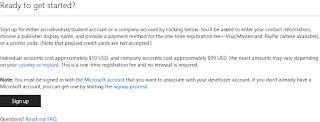
Firefox Chrome (2018/01/25 11-12的發票中了 200,兌現承諾上傳Chrome) Edge不會有,除非有人要donate我買開發者帳號 (想用得自己用開發者功能裝) github https://github.com/craftwar/youtube-audio 讓youtube只接收音樂的部份,沒影片省流量省資源省電 (save resource, cpu, gpu and battery) 點歌功能只要是從youtube放的都適用  (ex: NightBot的autoDJ) 用法很簡單,點圖示切換狀態,黑白為關閉狀態 我是用多個瀏覽器,一個固定打開,只想放音樂時用那個開 配合autoplay無限放當電台用? 如果不需用youtube的autoplay,可以用foobar2000播 需要裝這個component https://fy.3dyd.com/ (不是我寫的,也沒opensource,風險自行負責) 贊助連結 https://payment.allpay.com.tw/Broadcaster/Donate/83D029B697E779BF68E3243D8830CB97 基於 Youtube audio 改寫的 Firefox版的也是改別人的(而且只改文字描述部分),放上源頭 https://github.com/Ashish-Bansal/audio-only-youtube 本來只是想加nightbot支援,後來發現code太濫,忍不住就重寫了 改寫太多,變成我的code比較多,乾脆發佈成自己的作品了 順便做些個人偏好的調整 完全是根據原作品改寫,所以我很多東西不知道 和原版程式碼相比,減少一半行數 Edge支援 M$的開發者帳號更貴阿要$19 (本來想發edge的好貴就算了,兩張發票都買不起) about:flags 中打開也能load https://docs.microsoft.com/en-us/microsoft-edge/extensions/guides/adding-and-removing-extensions ==== dev note 簡單講原理就是youtube裡面本來就有audio on...